Make Bookmarklets: Create Custom Browser Shortcuts Easily
A simple tool to create and manage custom bookmarklets for browser automation.
★ 4.0 / 5 iKeep scoreScreenshots
Quick facts
Overview
Make Bookmarklets is a web-based tool that allows users to create and manage custom bookmarklets—small JavaScript snippets that can be saved as browser bookmarks to perform quick actions. It simplifies the process of writing and testing JavaScript for bookmarklets, making it accessible even to non-developers.
Getting started with Make Bookmarklets | Make it easy
- Visit the websiteGo to make-bookmarklets.com in your browser to access the tool.
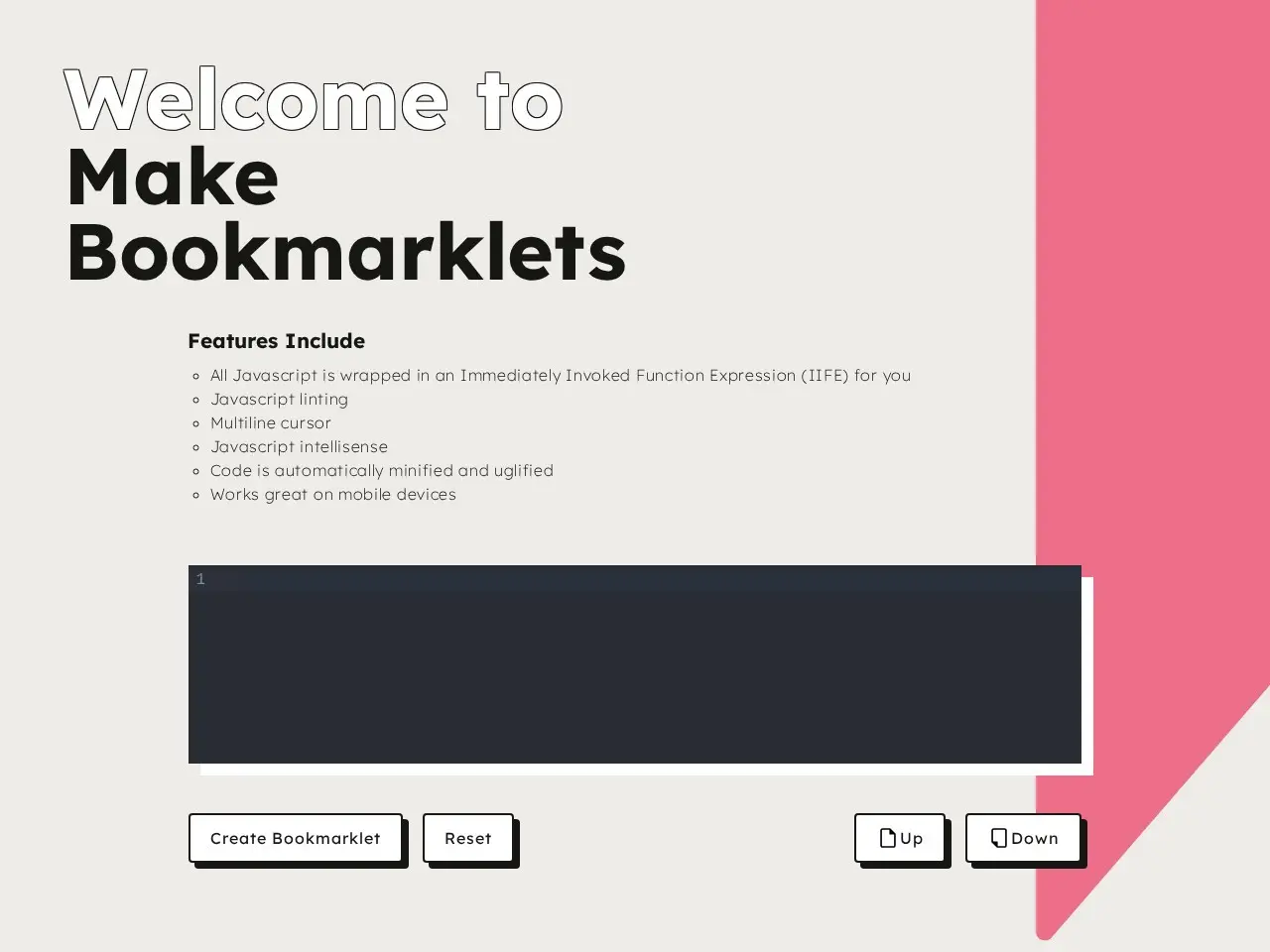
- Write JavaScript snippetUse the built-in JavaScript editor to write or paste your custom code for the bookmarklet.
- Test the bookmarkletClick the 'Test' button to ensure your bookmarklet works as expected before saving.
- Save as bookmarkDrag the generated bookmarklet link to your browser's bookmarks bar or right-click to save it.
- Use the bookmarkletClick the saved bookmarklet in your browser to execute the JavaScript action on any webpage.
Pricing
| Plan | Price | Note |
|---|---|---|
| Free | Free | No cost for creating and using bookmarklets |
💡 Indicative pricing — check the official rates at make-bookmarklets.com · Updated 7/27/2026
Key features
- Easy creation of custom bookmarklets
- JavaScript editor with syntax highlighting
- Quick testing of bookmarklets before saving
- Export and import functionality for sharing
- Supports multiple browsers
Pros
- User-friendly interface
- No installation required
- Great for automating repetitive tasks
Cons
- Limited to JavaScript-based actions
- No advanced debugging tools
Use cases
- Automating repetitive browser tasks
- Quickly accessing frequently used functions
- Enhancing productivity with custom shortcuts
The verdict
Make Bookmarklets is a handy tool for anyone looking to streamline their browser workflow with custom JavaScript snippets, though it may lack advanced features for complex scripting needs.
✓ Who should use it
Anyone who frequently performs repetitive tasks in their browser and wants to automate them with simple JavaScript.
✕ Who should skip it
Users needing complex automation or those unfamiliar with basic JavaScript concepts.
Categories
Community
- GitHub Issues ↗Official issue tracker and support community
Great for
Frequently asked questions
Is Make Bookmarklets | Make it easy free?
Make Bookmarklets | Make it easy is free to use.
What is Make Bookmarklets | Make it easy best for?
Power users and developers looking to automate browser tasks with custom JavaScript snippets.
Does Make Bookmarklets | Make it easy have an API?
No, Make Bookmarklets | Make it easy does not offer a public API.
Can I self-host Make Bookmarklets | Make it easy?
No, Make Bookmarklets | Make it easy is not self-hostable.
Who should use Make Bookmarklets | Make it easy?
Anyone who frequently performs repetitive tasks in their browser and wants to automate them with simple JavaScript.
Reviews 4.0 ★ · 1 review
Make Bookmarklets excels in simplicity and accessibility, making it a great choice for users who want to create custom browser shortcuts without diving into complex setups. The interface is intuitive, and the ability to test snippets before saving them is a standout feature. While it may not cater to advanced developers needing robust debugging tools, it’s perfect for casual users and those new to JavaScript. The tool’s free nature and web-based platform ensure that anyone can start using it immediately, making it a valuable addition to any productivity toolkit.
No reviews yet. Be the first to review Make Bookmarklets | Make it easy.
Write a review
Related tools