img2threejs: Convert Images to Procedural 3D Models
Transform a single photo into a procedural 3D model with Three.js
★ 4.0 / 5 iKeep scoreScreenshots
Quick facts
Overview
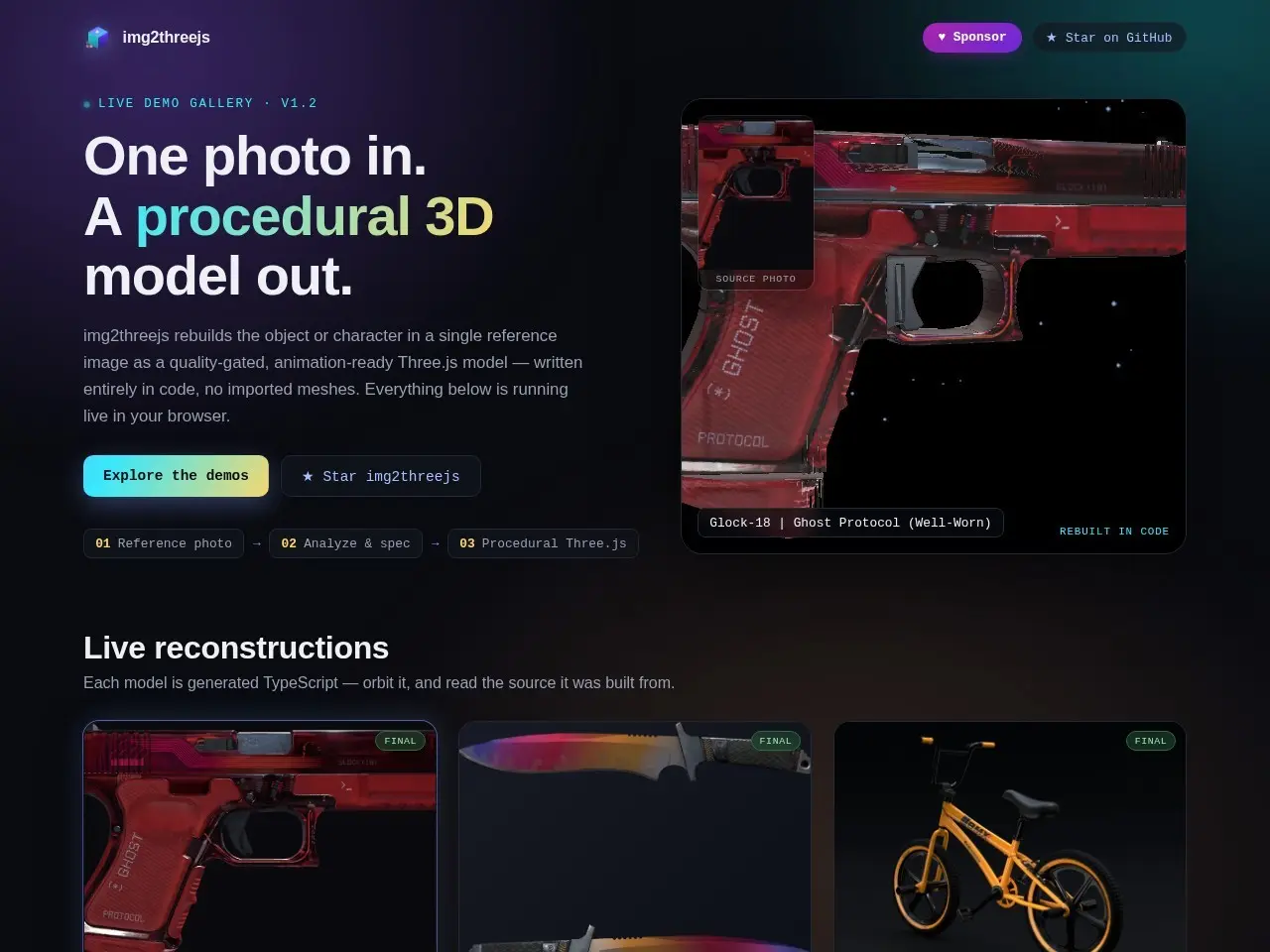
img2threejs is a tool that generates procedural 3D models from a single reference image, outputting animation-ready Three.js models entirely in code. It analyzes the input photo and creates a quality-gated, interactive 3D reconstruction that runs live in the browser.
Getting started with img2threejs — Live Demo Gallery
- Access the toolVisit the img2threejs showcase website to access the tool directly in your browser.
- Upload reference imageUpload a single reference image that you want to convert into a 3D model.
- Generate 3D modelThe tool will analyze the image and generate a procedural 3D model using Three.js.
- View and interactView the generated model in your browser, where you can interact with it in real-time.
- Use the codeThe output is provided as animation-ready Three.js code that you can integrate into your projects.
Pricing
| Plan | Price | Note |
|---|---|---|
| Free | Free | No cost for using the tool |
💡 Indicative pricing — check the official rates at img2threejs.github.io · Updated 8/2/2026
Key features
- Converts reference images into procedural 3D models
- Generates animation-ready Three.js models
- Works entirely in code with no imported meshes
- Live demos showcase real-time browser rendering
- Quality-gated output ensures usable models
Pros
- No need for manual 3D modeling or mesh imports
- Produces clean, animation-ready models
- Runs entirely in the browser with Three.js
Cons
- Limited to the quality of the input reference image
- No visible customization options for the output
Use cases
- Quick 3D model generation from concept art
- Creating interactive 3D assets for web projects
- Prototyping 3D objects without modeling software
The verdict
img2threejs offers a clever solution for generating 3D models directly in the browser, perfect for web developers who want to quickly prototype 3D assets without specialized modeling software.
✓ Who should use it
Web developers and creative coders who need to quickly convert 2D references into interactive 3D models for their projects.
✕ Who should skip it
Professionals needing precise control over every aspect of their 3D models or complex texturing requirements.
Categories
Great for
Frequently asked questions
Is img2threejs — Live Demo Gallery free?
img2threejs — Live Demo Gallery is free to use.
What is img2threejs — Live Demo Gallery best for?
Web developers and designers needing quick 3D models from reference images
Does img2threejs — Live Demo Gallery have an API?
No, img2threejs — Live Demo Gallery does not offer a public API.
Can I self-host img2threejs — Live Demo Gallery?
Yes, img2threejs — Live Demo Gallery can be self-hosted.
Who should use img2threejs — Live Demo Gallery?
Web developers and creative coders who need to quickly convert 2D references into interactive 3D models for their projects.
Reviews 4.0 ★ · 1 review
I'm impressed by img2threejs's ability to transform simple images into functional 3D models with just a few lines of code. The live demos showcase its potential for rapid prototyping, especially for web developers working with Three.js. While it won't replace professional modeling tools for complex projects, it excels at creating clean, animation-ready models from reference images. The procedural generation approach means consistent output quality, and the browser-based operation makes it incredibly accessible. For anyone needing to quickly generate 3D assets for web projects without leaving their development environment, this tool is a game-changer.
No reviews yet. Be the first to review img2threejs — Live Demo Gallery.