
Build software better, together: GitHub: AI-Powered Code
Build, share, and deploy software with AI-powered tools and workflows
★ 5.0 / 5 iKeep scoreScreenshots
Quick facts
Overview
GitHub is a leading platform for software development, offering tools for code collaboration, version control, and AI-assisted coding. It hosts over 420 million projects and serves more than 150 million developers worldwide.
Getting started with Build software better, together
- Sign up for GitHubCreate a free account on GitHub.com by providing your email, username, and password.

- Set up a repositoryCreate a new repository for your project, choosing between public (free) or private (paid) visibility.
- Install GitDownload and install Git on your local machine to manage version control for your projects.
- Clone your repositoryUse the 'git clone' command to copy your repository to your local machine for development.

- Enable GitHub CopilotActivate GitHub Copilot in your IDE settings to start using AI-assisted coding features.

Pricing
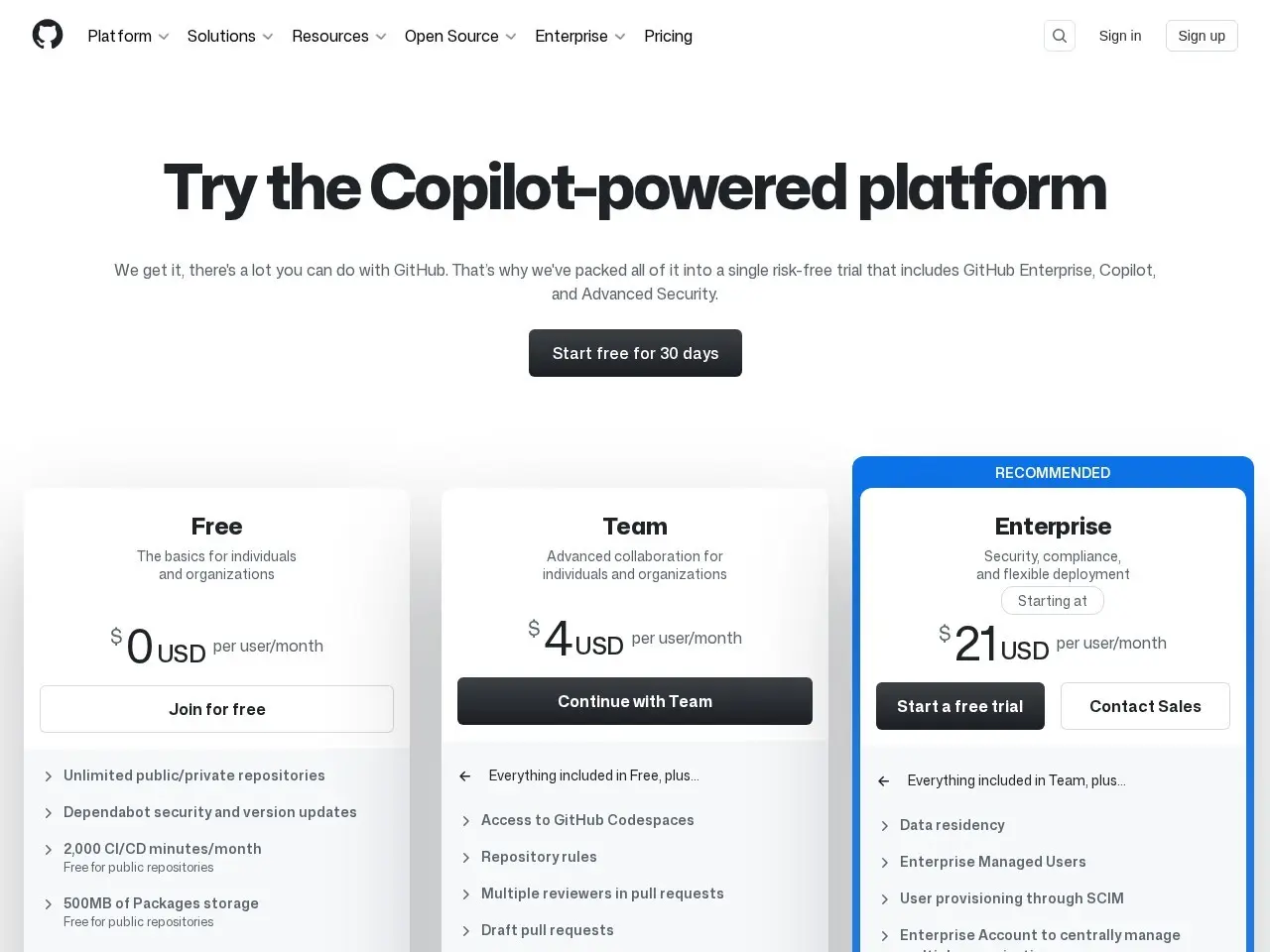
| Plan | Price | Note |
|---|---|---|
| Free | Free | Public repositories only |
| Team | From $4/user/mo | approximate, private repositories |
| Enterprise | From $21/user/mo | approximate, advanced features |
💡 Indicative pricing — check the official rates at github.com · Updated 7/16/2026
Original pricing screenshotKey features
- GitHub Copilot for AI-assisted coding
- Automated workflows with GitHub Actions
- Instant dev environments via Codespaces
- Advanced security features for code protection
- Integrated issue tracking and project management
- Comprehensive code review tools
Pros
- Industry-standard platform with massive community
- Powerful AI coding assistance
- Robust security and compliance features
Cons
- Can be complex for beginners
- Some advanced features require paid plans
Use cases
- Collaborative software development teams
- Open source project hosting
- Automated CI/CD pipelines
- Secure enterprise code management
The verdict
GitHub remains the gold standard for developer collaboration, now enhanced with powerful AI features that make coding more efficient while maintaining robust security and workflow tools.
✓ Who should use it
Development teams and individual programmers who want a comprehensive platform with AI assistance and robust collaboration features.
✕ Who should skip it
Non-technical users or those needing simple version control without advanced development features.
Categories
Community
- GitHub Community Forum ↗Official discussions for GitHub users and developers
Great for
Featured in
Frequently asked questions
Is Build software better, together free?
Free for public repos, paid plans for private repos and advanced features
What is Build software better, together best for?
Developers and teams building software projects of any size
Does Build software better, together have an API?
Yes, Build software better, together offers an API.
Can I self-host Build software better, together?
No, Build software better, together is not self-hostable.
Who should use Build software better, together?
Development teams and individual programmers who want a comprehensive platform with AI assistance and robust collaboration features.
Reviews 5.0 ★ · 1 review
GitHub continues to dominate the developer tools space by consistently adding innovative features while maintaining its core functionality. The introduction of GitHub Copilot has been a game-changer, offering real-time AI code suggestions that significantly boost productivity. What impresses me most is how GitHub has evolved beyond simple version control into a complete development ecosystem with Codespaces for cloud development, Actions for automation, and robust security scanning. The platform's scale means you're joining the largest developer community online, with endless opportunities for collaboration and learning. While the interface can feel overwhelming to newcomers, the payoff in productivity and code quality makes it worth the learning curve.
No reviews yet. Be the first to review Build software better, together.
Write a review
Related tools



